Specific Charge/Credit Detail Report
Previously, users had to manually unselect individual billing items across multiple centers to view transactions associated with a specific billing item. This process was time-consuming and cumbersome, especially for companies managing multiple centers with common billing items.
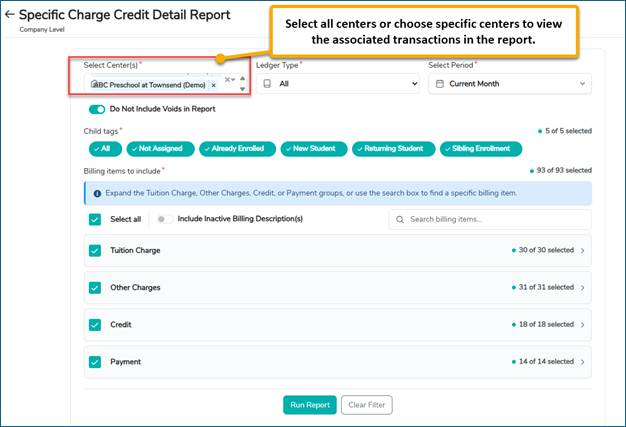
To simplify report generation and improve usability, the Transaction Report has been enhanced with the following improvements:
- Select/Unselect All: Users can now select or unselect all billing items under each transaction type with a single action.
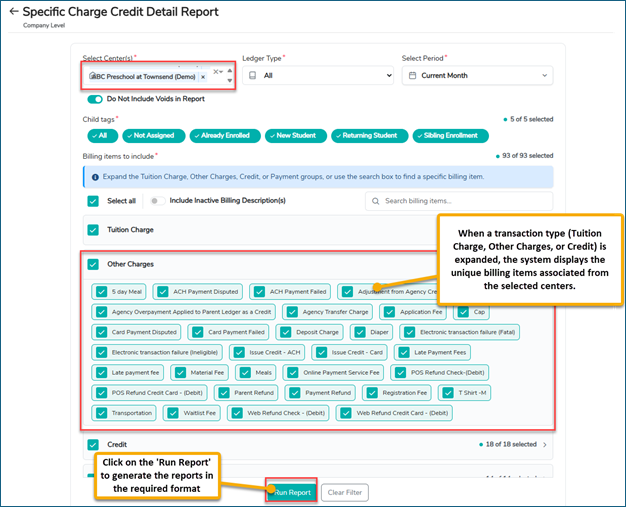
- Unique Billing Item List: Expanding a transaction type displays a consolidated list of unique billing items across the selected centers. For example, if multiple centers use the ‘ACH Payment Failed’ billing item under Other Charges, it appears only once in the list. Selecting it allows users to view the associated transactions across all selected centers in the generated report.
- Search Billing Items: A search option is now available to help users quickly find and select specific billing items.
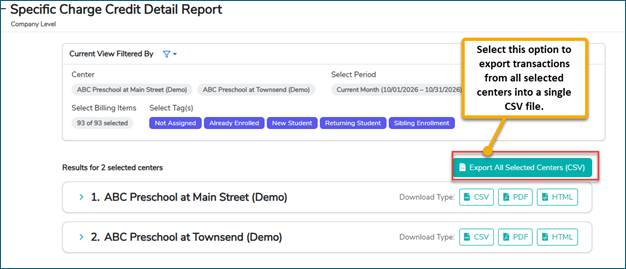
These enhancements reduce manual effort, simplify billing item selection, and make it easier to generate transaction reports across multiple centers.